Building an MCP Server
A framework-neutral path from a useful capability boundary to a tested, permissioned production server.
An MCP server is easy to demo and easy to design badly. Registering a function as a tool proves that messages can move. It does not prove that the tool is understandable, the schema is safe, the backend is reliable, or the permission model is suitable for an AI application.
This tutorial assumes you already understand [what MCP is](/model-context-protocol-explained/) and [how MCP works](/how-mcp-works/). It focuses on the server side: choosing capabilities, implementing handlers, connecting real systems, validating requests, returning usable results, and operating the boundary in production.
The protocol details follow MCP revision 2026-07-28. SDK examples are intentionally pseudocode because SDK syntax is an implementation convenience, not the protocol itself.
What you will build
The example is a Sales Data MCP Server backed by a warehouse and CRM API:
- tool:
getsalessummary - tool:
lookup_customer - resource:
sales-schema - prompt:
analyze-regional-performance
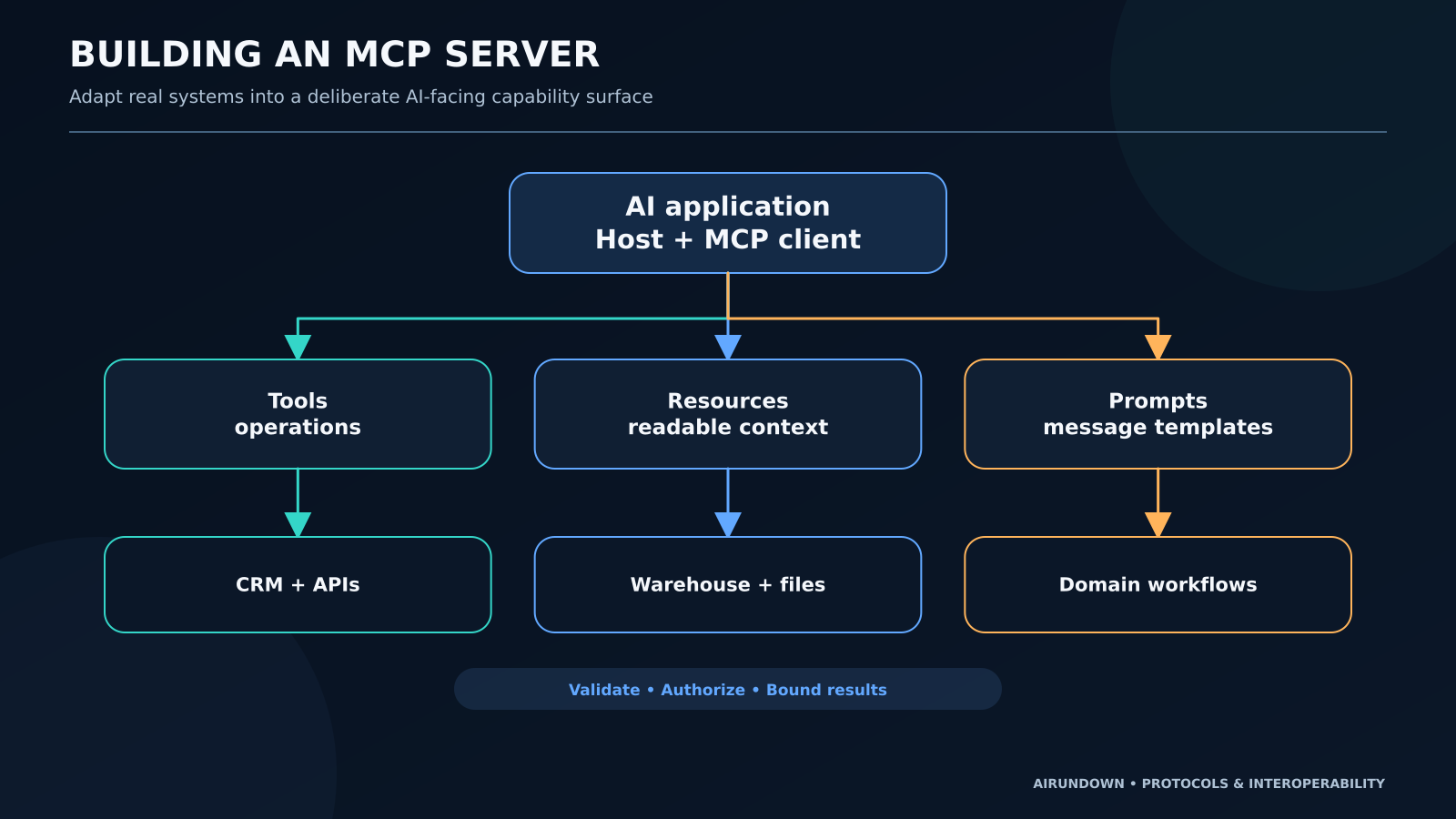
An AI application can discover these capabilities, read the schema resource, invoke a tool with structured arguments, or retrieve the prompt template. The application—not the server—still owns the model, the agent loop, tool selection policy, and user experience.
The implementation flow
Build in this order:
Need → Server boundary → Capabilities → Schemas → Handlers → Backend connections → Validation → Results → Tests → Security → Deployment
Starting with code usually creates an endpoint-shaped tool catalog. Starting with the user job creates a smaller, clearer capability surface.
Step 1: define the need
Write down the decisions the AI application must support:
- compare sales across regions and periods;
- look up a known customer;
- understand the sales dataset before analysis;
- start a repeatable regional-analysis workflow.
Also write what the server must not do. This server will not update CRM records, export an unrestricted customer table, execute arbitrary SQL, or decide whether a sales action is approved.
That negative scope is part of the design.
Step 2: define the server boundary
An [MCP server](/glossary/mcp-server/) is a protocol-facing capability provider. It may contain integration logic, but it should not become a second copy of every backend.
Keep these responsibilities clear:
- MCP layer: protocol messages, capability metadata, feature handlers, errors.
- policy layer: caller identity, authorization, approval requirements, data scope.
- domain/integration layer: sales definitions, CRM mapping, query construction.
- backend layer: warehouse, CRM API, files, caches, queues.
If regional sales logic already exists in a governed analytics service, call it. Do not reimplement business definitions in the MCP handler.
Step 3: select tools, resources, and prompts
Choose the feature that matches the job.
Tools perform operations
getsalessummary accepts a region, period, and optional product family. It returns aggregated measures.
lookup_customer accepts a stable customer identifier. It returns a permitted customer summary.
These are [tools](/glossary/mcp-tool/) because the application asks the server to execute an operation.
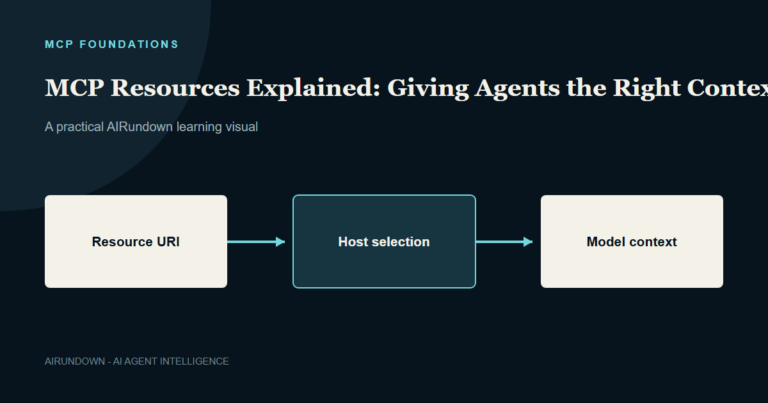
Resources expose readable context
sales-schema describes measures, dimensions, freshness, and known caveats. A [resource](/glossary/mcp-resource/) has URI-based identity and read semantics. It is better than a fake get_schema tool when the job is simply to retrieve context.
Prompts provide reusable message templates
analyze-regional-performance returns a structured set of messages for comparing a region against targets and a prior period. A [prompt](/glossary/mcp-prompt/) is not the application's system prompt. The host decides whether the user can select it and how retrieved messages are combined with local instructions.
Step 4: design narrow schemas
A tool schema is a product interface for model-assisted use. Make valid behavior easy and ambiguous behavior difficult.
For getsalessummary, prefer:
{
  "region": "India",
  "period": {
    "start": "2026-07-01",
    "end": "2026-07-31"
  },
  "product_family": "Smartphone"
}
Avoid a single query string that accepts arbitrary natural language. Define required fields, enums where the vocabulary is controlled, formats for dates, reasonable limits, and descriptions that explain business meaning.
Validation must happen on the server even when the SDK validates against a schema. Reject impossible date ranges, unauthorized regions, excessive result sizes, and identifiers the caller cannot access.
Step 5: implement capability handlers
The following is framework-neutral pseudocode:
register_tool(
  name = "get_sales_summary",
  description = "Return aggregated sales for one authorized region and period.",
  input_schema = SalesSummaryInput,
  handler = get_sales_summary
)

function get_sales_summary(input, caller):
  validated = validate_sales_input(input)
  authorize(caller, "sales.read", region = validated.region)
  rows = analytics_service.fetch_summary(validated)
  return shape_sales_result(rows)
The registration API will differ across TypeScript, Python, Java, and other SDKs. The enduring semantics are:
- the server exposes a named tool with metadata and a schema;
- the client can discover the tool;
- the client calls it with arguments;
- the server returns a result or error.
Do not describe an SDK decorator, class, or helper as a protocol requirement.
MCP server request flow
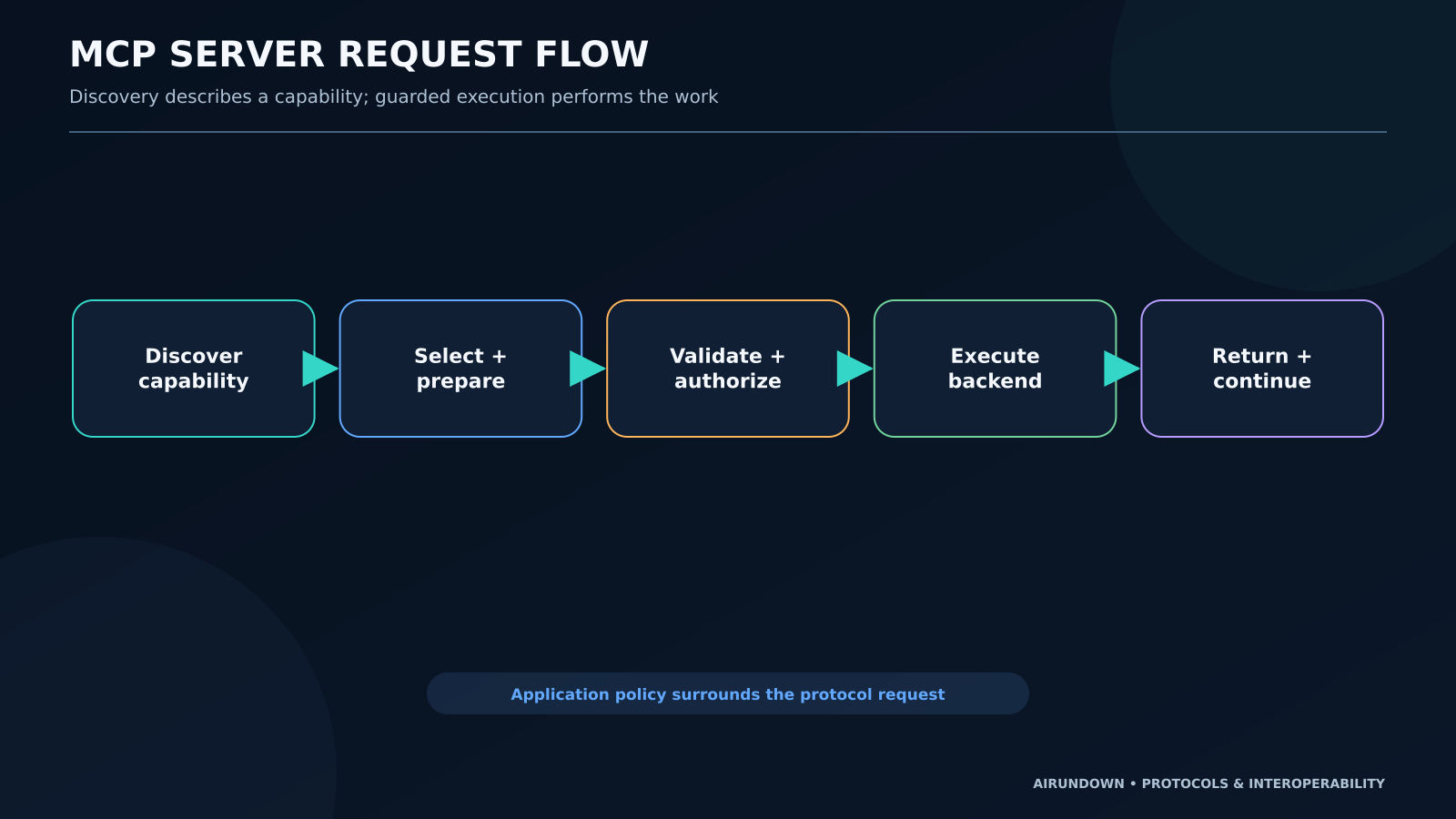
The complete path is:
- The host connects its MCP client to the server.
- The client discovers server features and lists relevant capabilities.
- The host makes selected capabilities available to the model or user.
- The application chooses
getsalessummaryand prepares arguments. - The MCP client sends the request.
- The server authenticates the caller where applicable, validates input, and authorizes the operation.
- The handler calls the analytics backend.
- The server shapes a bounded result or returns an actionable error.
- The client returns the observation to the application.
- The application decides whether to continue, retry, ask the user, or stop.
MCP standardizes only part of this path. Approval UX, retry policy, model behavior, and business authorization remain application decisions.
Step 6: connect backend systems safely
An MCP server often wraps an [API](/glossary/api/), database, or file store. Use separate credentials for each backend and keep them out of tool results and model-visible context.
For databases:
- use parameterized queries;
- expose task-specific operations instead of arbitrary SQL;
- restrict schemas, rows, and columns;
- enforce timeouts and result limits;
- map caller identity to permitted data.
For APIs:
- use the correct audience-bound credential;
- distinguish upstream errors from protocol errors;
- apply rate limits and idempotency where side effects exist;
- avoid passing the MCP token directly to an unrelated upstream service.
For files:
- use allowlisted roots or identifiers;
- prevent path traversal;
- restrict file types and sizes;
- treat file contents as untrusted input.
MCP server design layers
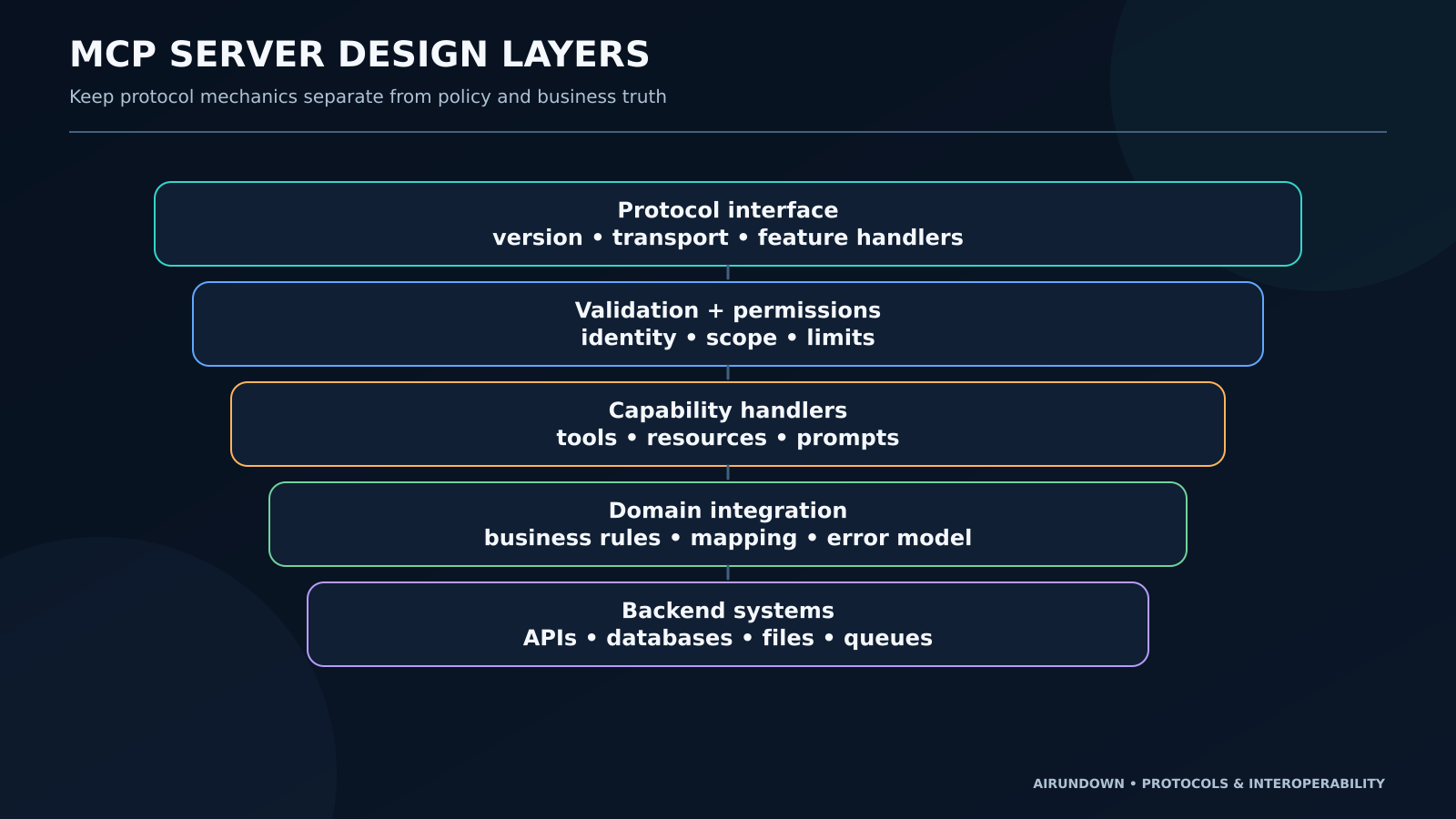
Layering makes failures diagnosable:
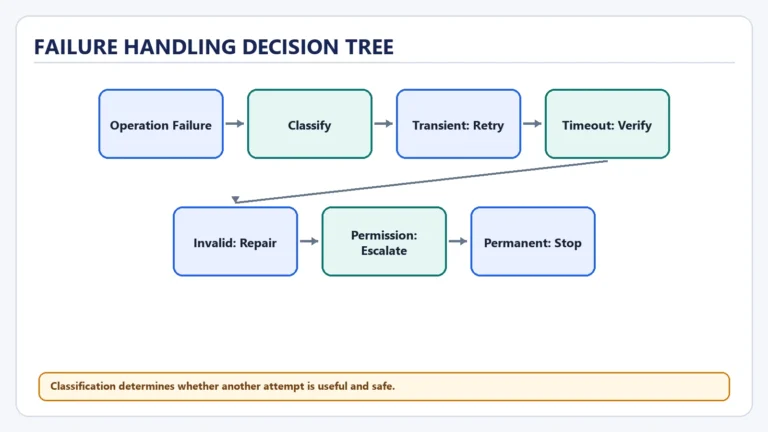
- a malformed tool request fails at validation;
- a caller without regional access fails at authorization;
- a missing customer fails in the domain handler;
- a CRM outage fails in the integration layer;
- an unsupported protocol version fails at the protocol boundary.
Without layers, every failure becomes “tool failed,” which encourages blind retries.
Current transport and discovery considerations
The current MCP specification separates protocol semantics from transport. Standard bindings include stdio for a client-launched local process and Streamable HTTP for remote access.
Modern MCP is protocol-stateless. Each request carries protocol-version and client-capability metadata. Servers implement server/discover, and clients may use it before normal feature operations. The older initialize handshake and protocol-level session model apply to legacy revisions, not the current one.
Choose transport from deployment needs:
- stdio for a local, client-launched integration with OS-level process isolation;
- Streamable HTTP for remote, multi-client service operation;
- custom transport only when interoperability requirements justify it.
Transport does not decide capability design or business permissions.
Step 7: return bounded, useful results
A model does not benefit from a 50,000-row dump. Return:
- concise structured fields;
- explicit units and time periods;
- stable identifiers;
- warnings about freshness or partial data;
- pagination or references for larger data;
- machine-readable error categories.
Separate a tool execution error from a successful result that contains “no matching customer.” Preserve backend correlation IDs for operators, but do not expose secrets or internal stack traces.
Step 8: test the server
Test at four levels:
Contract tests
Verify capability names, descriptions, schemas, resource URIs, prompt arguments, and result shapes.
Handler tests
Run valid, invalid, unauthorized, empty, oversized, and backend-failure cases.
Client integration tests
Use a real or test MCP client to discover capabilities, call tools, read resources, retrieve prompts, and handle errors across the selected transport.
Agent workflow tests
Verify that the host can select the correct tool, prepare valid arguments, respect approval, and recover from failures. A server test cannot prove the model will choose correctly.
Step 9: secure and operate it
Production controls should include:
- least-privilege scopes per capability;
- separate read, write, and destructive permissions;
- explicit approval for consequential actions;
- input and output validation;
- secrets management and rotation;
- per-caller rate limits;
- structured logs and distributed trace context;
- latency, error, and backend dependency metrics;
- audit records for sensitive operations;
- dependency and supply-chain review;
- rollout, version compatibility, and rollback plans.
The HTTP authorization specification defines interoperable mechanisms for restricted remote servers. It does not define your company's role model or grant blanket safety. stdio deployments usually obtain credentials from the environment and require strong local process controls.
Common mistakes
- Exposing too many capabilities: large catalogs make selection and policy harder.
- Vague descriptions: the model cannot reliably distinguish overlapping tools.
- Weak schemas: free-form arguments push validation problems downstream.
- Broad permissions: a read use case should not inherit delete access.
- Huge unstructured results: context cost rises while usability falls.
- Hidden backend errors: the host cannot choose an appropriate recovery.
- Assuming tool choice is correct: schema validity does not prove semantic intent.
- Putting business truth in handlers: duplicated rules drift from the system of record.
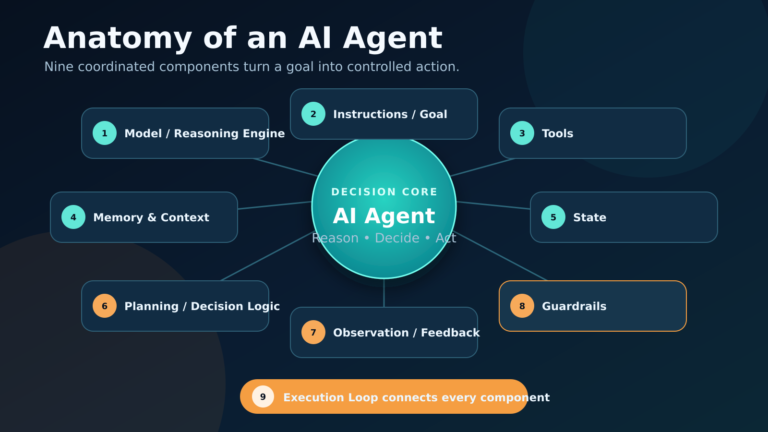
- Treating the server as an agent: MCP capability exposure does not create autonomy.
When not to build an MCP server
Use a direct function or API call when one application owns one stable integration and runtime discovery or cross-host reuse adds no value. An MCP server adds protocol versioning, deployment, security, testing, and operational work.
Build one when several AI hosts should reuse the capability surface, when tools/resources/prompts benefit from standard discovery, or when you need a governed boundary between agent applications and backend systems.
My Take
The best MCP servers are not the ones with the most endpoints. They expose a small set of permissioned, task-oriented capabilities whose names, schemas, and results make correct use easier than misuse.
Treat capability design as product design, not adapter generation. The server should reduce ambiguity at the AI boundary while preserving business truth and authorization in the systems that own them.
Next step
Continue with [MCP Client Architecture](/mcp-client-architecture/) to understand how a host aggregates multiple server connections, applies policy, invokes capabilities, and handles failures.