How AI Agents Work: The Complete Execution Loop
An AI agent is not a single clever response. It is a controlled loop that turns a goal into decisions, actions, feedback, and progress.
A chatbot can answer, “Here are three hotels in Singapore.” An agent can search for suitable hotels, compare them against your constraints, ask for approval before spending money, attempt the booking, notice that one room is unavailable, and adjust its plan.
The difference is not simply a better model. It is the execution loop around the model.
If you have not read the first lesson, start with [What Is an AI Agent? A Practical Mental Model](/what-is-an-ai-agent/). This lesson goes one level deeper: it explains the mechanism that keeps an agent working after its first response.
What you will learn
By the end, you will be able to:
- explain the seven stages of an agent run;
- distinguish reasoning, decisions, actions, observations, and state;
- see how tool results change the agent's next move;
- identify the controls that prevent an agent from looping forever or taking unsafe actions.
TL;DR
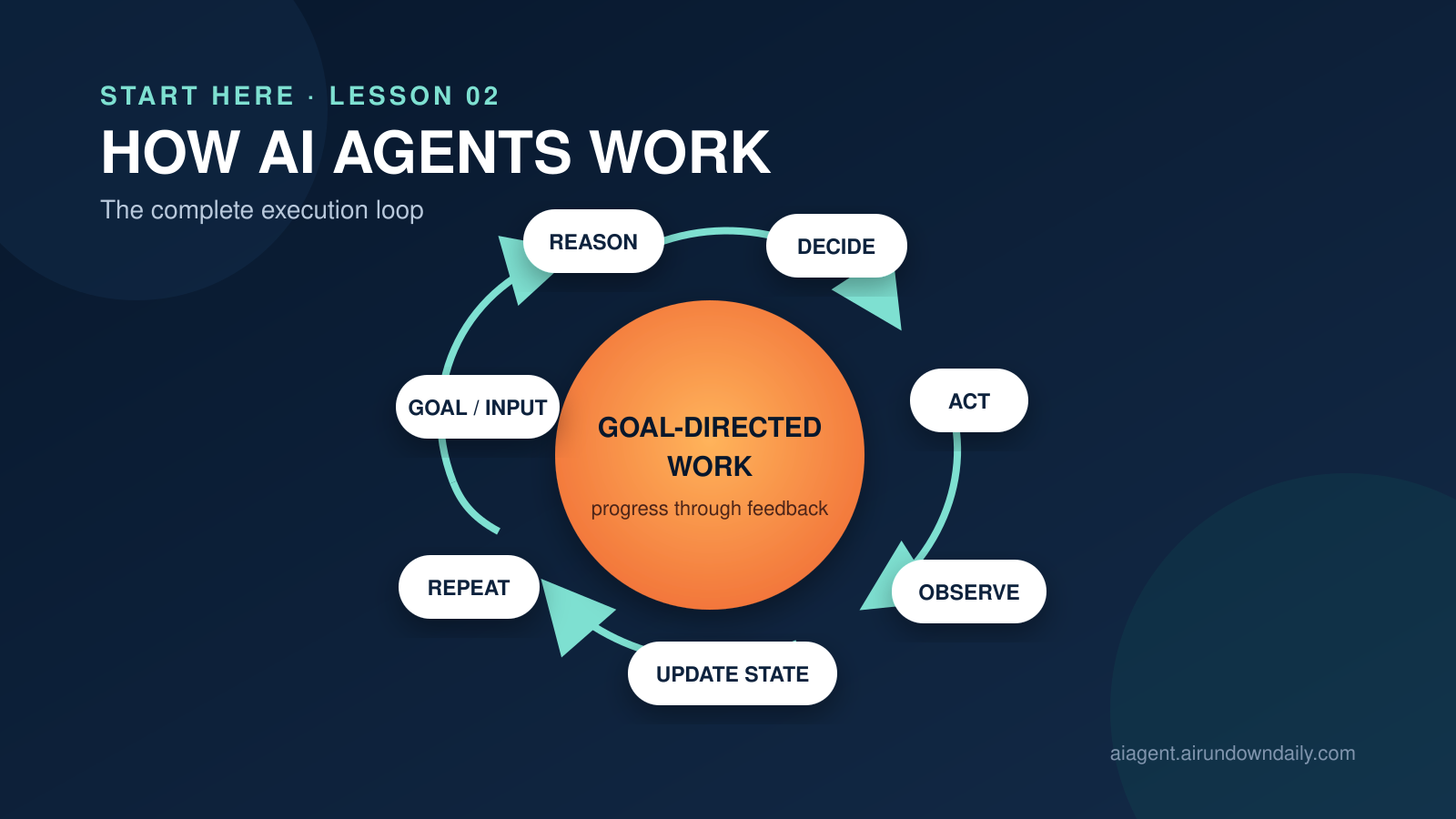
- An agent repeatedly runs a loop: Goal/Input → Reason → Decide → Act → Observe → Update State → Repeat.
- The model usually handles interpretation and decision-making; the surrounding software executes tools, stores state, applies permissions, and enforces stop conditions.
- An action does not have to change the outside world. Searching a database is still an action because it produces new evidence.
- State is the agent's working record of the task. Updating it lets the next cycle use what the previous cycle learned.
- A production agent needs boundaries: allowed tools, approvals, budgets, timeouts, turn limits, validation, and clear completion criteria.
The complete agent execution loop
The loop is easiest to understand as seven distinct stages:
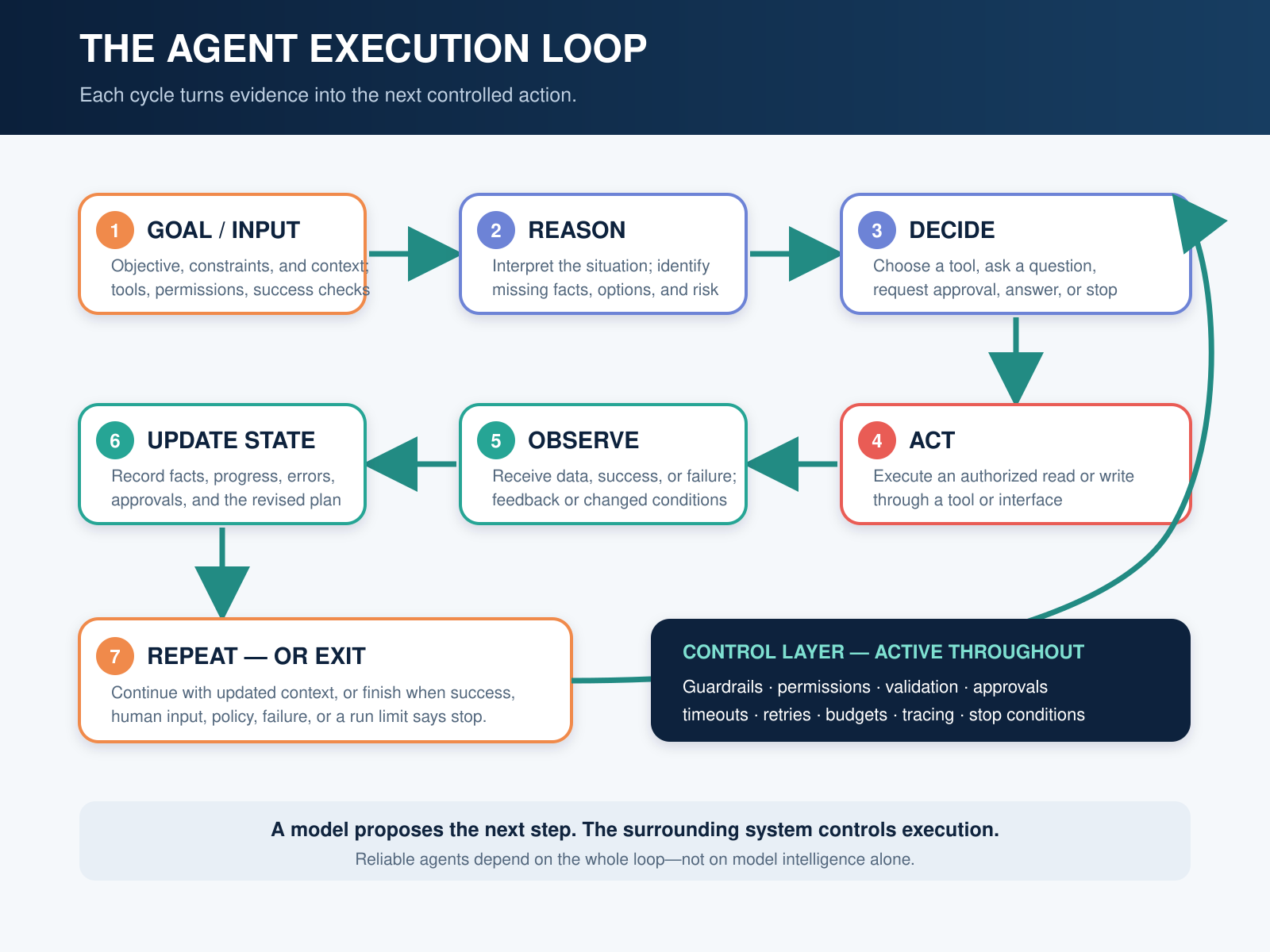
The agent loop converts a goal into actions, observations, and updated state until a stop condition is reached.
| Stage | Question it answers | Typical output |
|---|---|---|
| Goal / Input | What does the user want, and what constraints apply? | Task objective and initial context |
| Reason | What is known, missing, risky, or uncertain? | A task assessment or candidate plan |
| Decide | What should happen next? | Tool call, user question, final answer, or stop |
| Act | Execute the selected operation | API call, search, calculation, message, or handoff |
| Observe | What actually happened? | Tool result, error, environment change, or feedback |
| Update State | What should the run remember now? | Revised task state, history, plan, and status |
| Repeat | Is more work needed? | Another cycle or a controlled exit |
This decomposition is a practical teaching model. Real implementations may combine stages, rename them, or hide them inside an agent framework. The underlying control pattern remains the same: the system uses feedback from one step to choose the next.
1. Goal / Input: define the target
Every run begins with an objective. The input may include:
- a direct request;
- files, messages, images, or database records;
- instructions and business rules;
- available tools and permissions;
- previous conversation or task state;
- success criteria and limits.
“Plan a three-day trip to Tokyo” is a goal, but it is under-specified. The agent may also need dates, budget, departure city, interests, and approval rules. Good agent design separates the desired outcome from the constraints governing how it may be achieved.
The initial input is not automatically trusted. A reliable system validates formats, detects missing required information, and treats retrieved or third-party content as potentially unsafe.
2. Reason: interpret the current situation
During reasoning, the model evaluates the task using the information currently available. It may identify subproblems, compare options, notice missing facts, assess risk, or revise an earlier plan.
For the Tokyo trip, the agent might determine:
- travel dates are known;
- the budget is known;
- the user prefers food and technology;
- live flight prices are missing;
- purchasing requires explicit approval.
Reasoning is not the same as storing a long, visible “chain of thought.” Production systems can record concise decision summaries, selected actions, evidence, and outcomes without exposing private model reasoning. What matters operationally is whether the chosen next step is supported by the available context.
3. Decide: select the next move
Reasoning considers possibilities; deciding commits to one next operation.
The decision may be to:
- call a tool;
- ask the user for missing information;
- request human approval;
- delegate to another agent;
- return a final response;
- stop because the task is blocked, unsafe, or impossible.
For example, the agent may decide to call a flight-search tool with Beijing as the departure city, Tokyo as the destination, and the user's dates.
This is where instructions, tool descriptions, policies, and the model's capabilities meet. If two tools have vague or overlapping descriptions, the agent may select the wrong one even when its reasoning is otherwise sound.
4. Act: execute through a tool or interface
The surrounding application executes the decision. The model does not magically access an airline, calendar, browser, or company database. It produces a structured request; software validates that request and invokes an authorized tool.
Actions generally fall into two groups:
- Read actions gather evidence: search the web, query inventory, retrieve a policy, or inspect a file.
- Write actions change something: create a reservation, update a CRM record, send a message, or modify code.
Write actions deserve stricter controls because their consequences may be difficult to reverse. A travel agent can search freely but should pause before charging a card. A support agent can draft a refund response but may require approval before issuing the refund.
5. Observe: receive reality's response
An observation is the result returned by the tool or environment. It might be:
- successful data;
- an empty result;
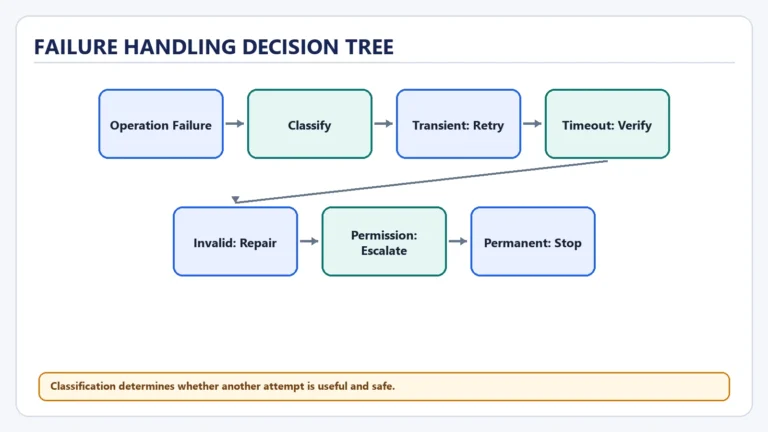
- a validation error;
- a permission denial;
- a timeout;
- a changed external condition;
- human feedback.
Suppose the flight search returns three options, but the lowest fare has an overnight layover and exceeds the user's maximum travel time. That result is evidence, not success. The agent must interpret it against the goal and constraints.
Observations are essential because a plan is only a prediction. The environment supplies the facts that confirm, reject, or modify that prediction. The ReAct research pattern formalized this useful interplay by interleaving reasoning with actions and environmental feedback rather than treating reasoning and acting as separate phases.
6. Update State: carry learning forward
State is the current working record of the run. After each observation, the system updates that record so the next cycle does not begin from zero.
State may include:
- the original goal and constraints;
- completed and pending steps;
- tool calls and their outputs;
- selected facts and source references;
- errors, retries, and rejected options;
- approvals received or still required;
- the latest plan;
- budget, time, or token consumption.
In the trip example, the state may now record that the cheapest flight violates the maximum travel-time constraint, while two acceptable options remain.
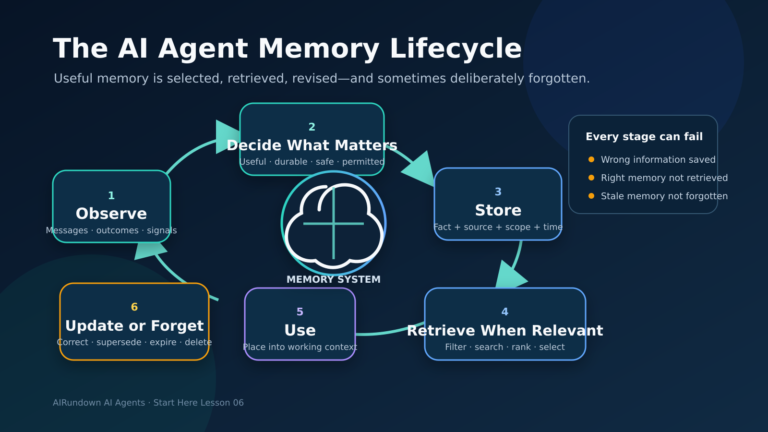
State is broader than memory. Run state tracks the current task. Conversation memory carries relevant context across turns. Long-term memory may preserve selected information across separate runs. Mixing all three without clear rules creates stale context, privacy problems, and unpredictable decisions.
7. Repeat: continue or exit
With the updated state, the agent evaluates the task again. It may compare the two remaining flights, search for hotels, ask a question, or produce a final itinerary.
The loop continues until a stop condition is reached. Common stop conditions include:
- the success criteria are satisfied;
- the model returns a final answer instead of a tool request;
- the agent needs human input or approval;
- a policy blocks the proposed action;
- a tool repeatedly fails;
- the maximum number of turns, time, cost, or tokens is reached;
- the task is judged impossible with the available tools and information.
Without explicit exit conditions, an agent may retry uselessly, repeat actions, accumulate cost, or create inconsistent external changes. “Repeat” must always mean “repeat under control.”
A practical example: resolving a support request
Consider this request:
“My order arrived damaged. Please replace it before Friday.”
One possible run looks like this:
- Goal/Input: Replace the damaged item before Friday. The agent receives the order number, customer identity, replacement policy, and available support tools.
- Reason: It must verify the order, check whether damage qualifies, confirm inventory, and determine whether Friday delivery is possible.
- Decide: Retrieve the order.
- Act: Call
getorder(orderid). - Observe: The order exists, belongs to the customer, and was delivered yesterday.
- Update State: Identity and order eligibility are confirmed; damage evidence and inventory remain unresolved.
- Repeat: Ask for a photo or retrieve an already attached image.
The next cycles inspect the evidence, check stock, and calculate delivery dates. If the item is available and the policy permits automatic replacement below a value threshold, the agent can prepare the replacement. If issuing it changes inventory or creates a financial liability, the system may require customer confirmation or staff approval before the final write action.
The agent has not “learned” in the model-training sense. It has adapted its run by updating state from observations.
The loop is not the model
A useful implementation boundary is:
- The model interprets context and proposes the next step.
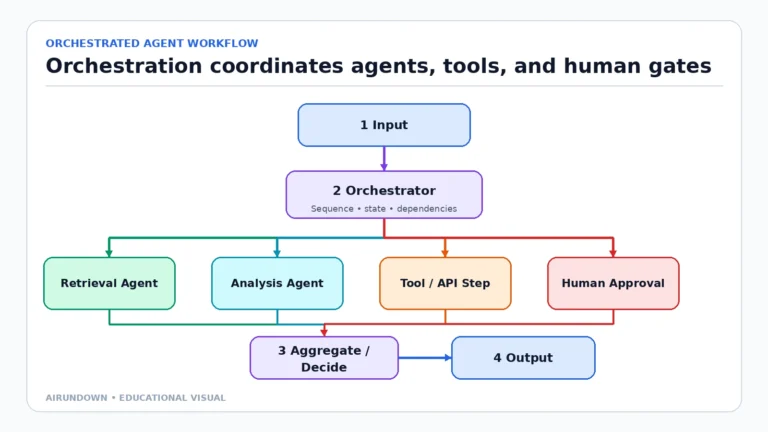
- The orchestrator manages the loop, prompts, tool routing, retries, and exit conditions.
- Tools read from or write to external systems.
- State storage preserves the run's working context.
- Guardrails and permissions constrain inputs, outputs, and actions.
- Humans approve consequential steps or resolve ambiguity when required.
This matters because upgrading the model cannot repair every agent failure. A wrong database update may come from a poor tool schema. Repeated calls may come from missing idempotency or weak stop logic. Forgotten constraints may come from state truncation. Reliability is a property of the full system.
Agent loop vs. fixed workflow
A fixed workflow follows predetermined transitions: first A, then B, then C. It is usually easier to test, cheaper to run, and more predictable.
An agent loop allows the model to choose the next step based on the current state. It is valuable when the path cannot be fully specified in advance—especially when inputs are unstructured, conditions change, or exceptions are common.
Many good systems combine both:
- deterministic code enforces policy and performs known calculations;
- the agent handles interpretation and selects among permitted paths;
- human approval gates high-impact actions.
Do not use an agent merely because a loop is possible. Use it when adaptive decision-making is necessary.
Common failure modes
The goal is vague
The agent optimizes for the wrong outcome or declares success too early. Define acceptance criteria and ask for missing constraints.
The observation is untrusted
A webpage, email, or document can contain inaccurate data or malicious instructions. Treat tool output as data, preserve source boundaries, and validate before acting.
State becomes noisy or stale
Long histories can bury important constraints. Keep structured task state, summarize deliberately, and distinguish facts from provisional assumptions.
Actions are not safely repeatable
A retry could send the same email twice or create duplicate orders. Use unique operation IDs, confirmation checks, and idempotent tool design where possible.
No meaningful stop condition exists
The agent loops, burns budget, or repeatedly asks the same question. Set turn, time, cost, and retry limits alongside task-specific success criteria.
Authority exceeds necessity
Giving broad write access makes every model or prompt error more consequential. Use least-privilege permissions and approval gates for irreversible or high-impact actions.
What builders and product teams should measure
Do not evaluate only the final prose. Inspect the run:
- Did the agent understand the goal and preserve constraints?
- Did it choose the correct tool and arguments?
- Were observations grounded in actual tool results?
- Did state preserve the facts needed for the next cycle?
- Did the system stop for the right reason?
- Were risky actions blocked or approved?
- How much time, cost, and human intervention did success require?
These questions turn “the agent seemed smart” into testable system behavior.
My Take
The execution loop is the most useful mental model for separating an impressive demo from a dependable agent.
The model gets most of the attention, but production quality often depends on less glamorous parts: precise tool contracts, structured state, approval boundaries, observable runs, and boring stop conditions. A capable model inside a weak loop is still a weak agent.
Start with one narrow goal, a small tool set, and an explicit definition of done. Make every transition observable. Expand autonomy only after the loop works reliably on real cases.
The next step
When you can trace Goal → Reason → Decide → Act → Observe → Update State → Repeat, you can diagnose where an agent succeeds or fails without treating it as magic.
Continue through the [Start Here learning path](/start-here/). The next lesson breaks the system into its major components—model, instructions, tools, state, memory, orchestration, and guardrails—so you can see what must exist around the loop.